
Ask Joshua: How Wide Should a TV Console Be Compared to the TV?
Hi Joshua,
I’m updating my living room and looking for a console to go with a new 65-inch TV. A few consoles I like are barely wider than the screen, while others seem so long that I’m wondering if they’ll overwhelm the room.
How much wider should the console be than the TV? Does that change if I mount the TV on the wall? I’d like to get the proportions right and leave some flexibility in case I upgrade to a bigger screen later.
Thanks,
Ryan - Mesa, Arizona
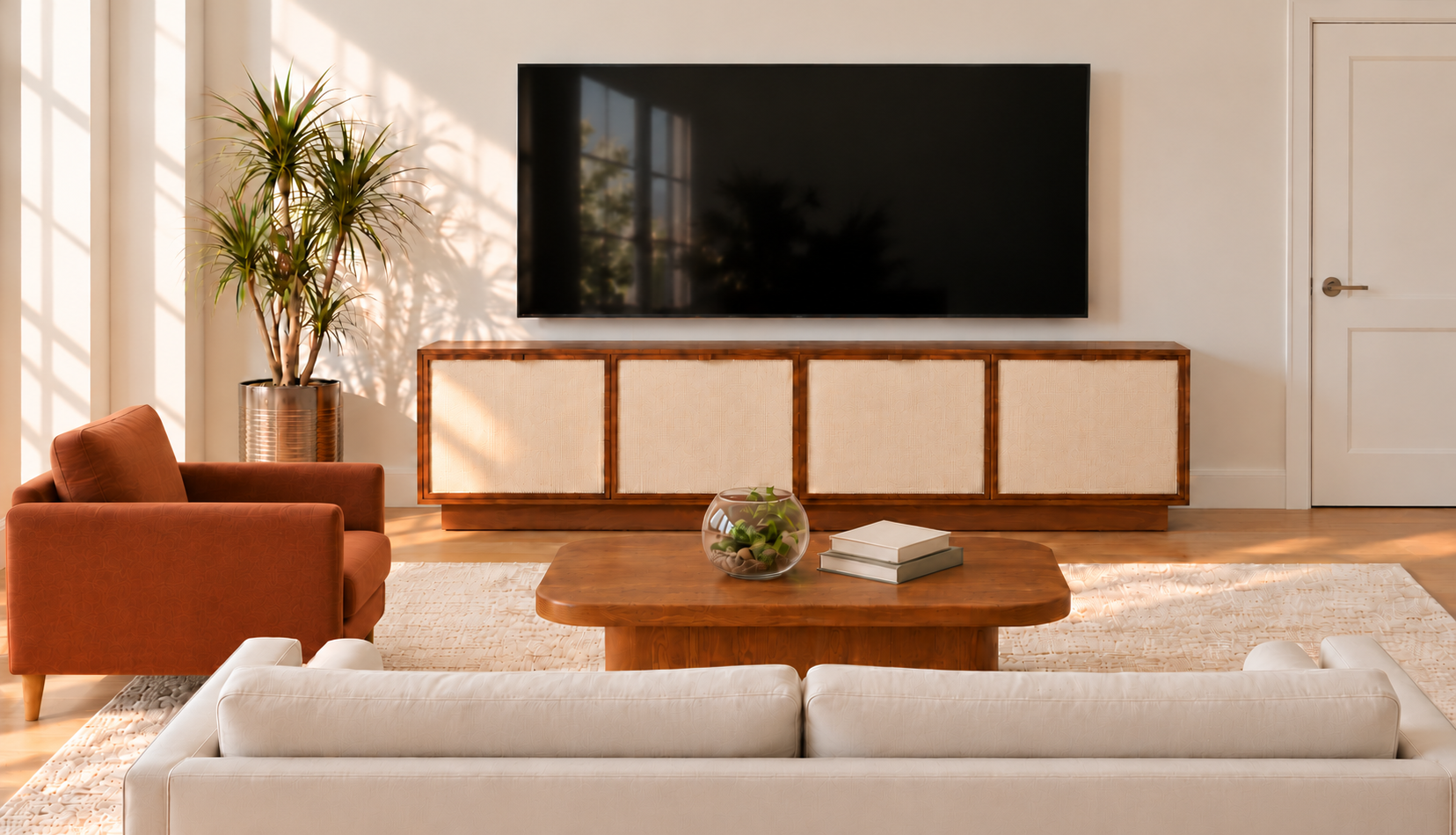
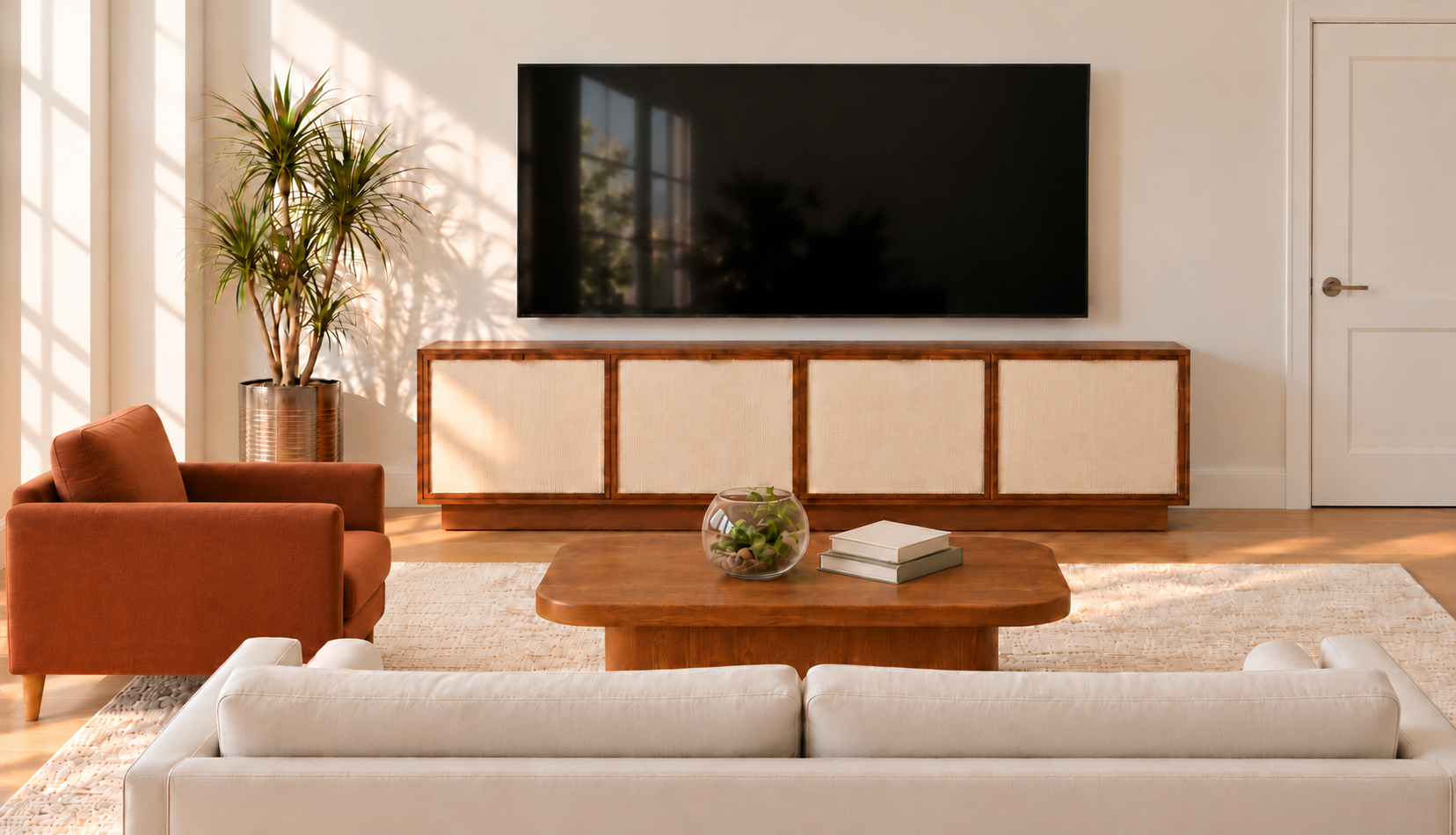
Living room concept designed by virtual interior designer Joshua Jones of JJones Design Co. for this blog post, illustrating an 80-inch media console beneath a wall-mounted TV. This image is an AI-generated rendering.
Hi Ryan,
A TV console can technically fit your television and still look too small underneath it. That’s why I look at the proportions of the TV, the furniture, and the surrounding wall together.
As a starting point, I recommend choosing a TV console that is at least 12 inches wider than the television’s actual width, giving you about 6 inches on each side. If the room allows, 8–12 inches on each side can create a more generous, balanced look. This is a design guideline, so you have some flexibility depending on your space.
For your 65-inch TV, I would start by looking at consoles around 72 inches wide. That usually gives the screen enough breathing room without requiring an oversized piece of furniture.
Start With the TV’s Actual Width
One detail that can make shopping confusing is that a TV’s advertised size measures the screen diagonally. A 65-inch TV is not 65 inches wide.
Many 65-inch TVs are approximately 57 inches wide, but always check the dimensions of your specific model before choosing furniture.
Using a TV that is approximately 57 inches wide:
A 60-inch console leaves only about 1½ inches on each side.
A 72-inch console leaves about 7½ inches on each side.
An 84-inch console leaves about 13½ inches on each side.
You can see why those three options would feel quite different, even though they are all wider than the television.
If you’re still deciding on the screen size, start with my guide to choosing the right TV size for your room. Choose the TV based on your seating arrangement and viewing needs, then select a console that works with both the screen and the room.
What Size TV Console Works With Different TV Sizes?
Here is a practical starting guide for shopping. The TV widths are approximate, and the console ranges reflect my preferred proportions rather than manufacturer requirements.
43-inch TV: Approximately 38 inches wide. Look for a console around 50–62 inches wide.
50-inch TV: Approximately 44 inches wide. Look for a console around 56–68 inches wide.
55-inch TV: Approximately 48 inches wide. Look for a console around 60–72 inches wide.
65-inch TV: Approximately 57 inches wide. Look for a console around 69–81 inches wide.
75-inch TV: Approximately 66 inches wide. Look for a console around 78–90 inches wide.
85-inch TV: Approximately 75 inches wide. Look for a console around 87–99 inches wide.
Always check your specific TV’s actual dimensions before purchasing. You do not need to find furniture that matches these measurements exactly. For your 65-inch TV, a 72-, 75-, or 80-inch console could all be worth considering.
Does a Wall-Mounted TV Need a Wider Console?
I generally use the same width guideline whether the TV is wall-mounted or sitting on the console. Mounting the screen changes how it is supported, but the furniture still helps visually anchor it.
A large screen above a narrow cabinet can look top-heavy. A wider console gives the arrangement a stronger base and helps the television feel connected to the rest of the room.
For a straightforward setup, center the TV over the console. I would also avoid leaving a large, arbitrary gap between them. Consider the screen’s viewing height, the console height, and any soundbar together so the arrangement feels connected without placing the TV uncomfortably high.
If the television sits directly on the furniture, check more than width. The console must accommodate the complete stand or feet, provide enough depth, and meet the required weight capacity. Follow the TV and furniture manufacturers’ instructions for support, clearance, and anchoring.
Can a TV Console Be Too Wide?
A console can be considerably wider than the TV and still look beautiful. I would be more concerned about whether it fits the room.
An 84-inch console under your 65-inch TV could work well on a broad wall, especially if you need the storage. That same console might feel crowded between a doorway and a corner.
Before choosing a longer piece, consider:
Whether it leaves comfortable walking space.
Whether cabinet doors and drawers can open fully.
How close it sits to nearby seating, curtains, or doorways.
Whether its depth and overall bulk suit the room.
The furniture’s design matters, too. A long console with legs and a lighter finish may feel less imposing than a shorter, deep cabinet with a solid base.
My suggestion is to mark the console’s width and depth on the floor with painter’s tape. Then step back and look at it from the sofa and the room’s entrance. That will tell you much more than the product photo alone.
What If You Want a Bigger TV Later?
Since you mentioned a future upgrade, I would consider the next screen size you realistically expect to buy.
If you think you might move from a 65-inch TV to a 75-inch TV, a console around 80–84 inches wide could be a useful compromise, provided it fits your room. It would give the current television a generous base while leaving room for a screen approximately 66 inches wide later.
I would not buy the largest console possible just in case. Extra width is helpful when it supports your room’s layout and storage needs.
Don’t Forget Height, Depth, and Equipment
Width gets most of the attention, but a console also needs to function well.
For a television sitting on top, consider how the console’s height affects the screen’s position from your usual seat. A cabinet that looks attractive on its own may place the TV higher than you find comfortable.
Measure your soundbar, gaming console, receiver, and other equipment before buying. Check the usable interior dimensions, cable openings, and manufacturer ventilation requirements. Closed storage is useful, but equipment still needs appropriate airflow.
And you do not have to decorate every inch of the surface. A little open space around the screen often looks better than accessories competing with it.
For your living room, Ryan, I would begin with a 72-inch console for the 65-inch TV, then compare it with an 80–84-inch option if a future upgrade is likely. Let the wall space, walking paths, and storage needs help you make the final decision.
If you need help choosing a console and planning the surrounding furniture, my virtual interior design service can help you bring those decisions together into a living room that feels comfortable and thoughtfully designed.
Warmly,
Joshua
Have interior design related questions? You can ask Joshua here.